
Features
Schedule Overview
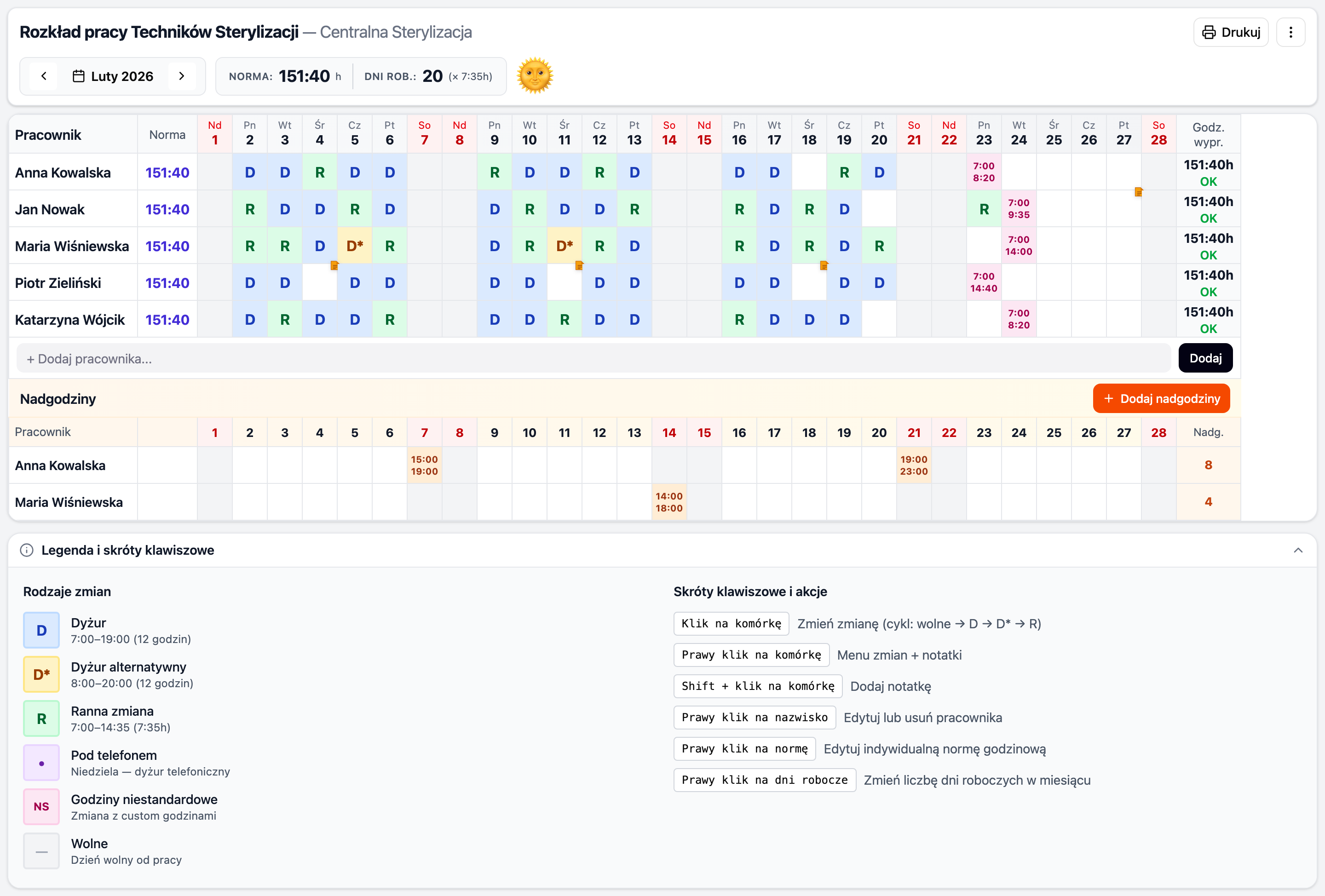
The main view — a table with employees, days of the month, and assigned shifts. Weekends and holidays are highlighted. Hour summaries on the right side.
Header & Navigation

Navigate between months, view the monthly norm, and adjust working days. Print or export via the toolbar.
Shift Types
| Code | Name | Hours | Color |
|---|---|---|---|
| D | Duty | 7:00–19:00 (12h) | 🔵 Blue |
| D* | Alternative Duty | 8:00–20:00 (12h) | 🟡 Yellow |
| R | Morning | 7:00–14:35 (7:35h) | 🟢 Green |
| • | On-call | 0h | 🟣 Purple |
Custom hours
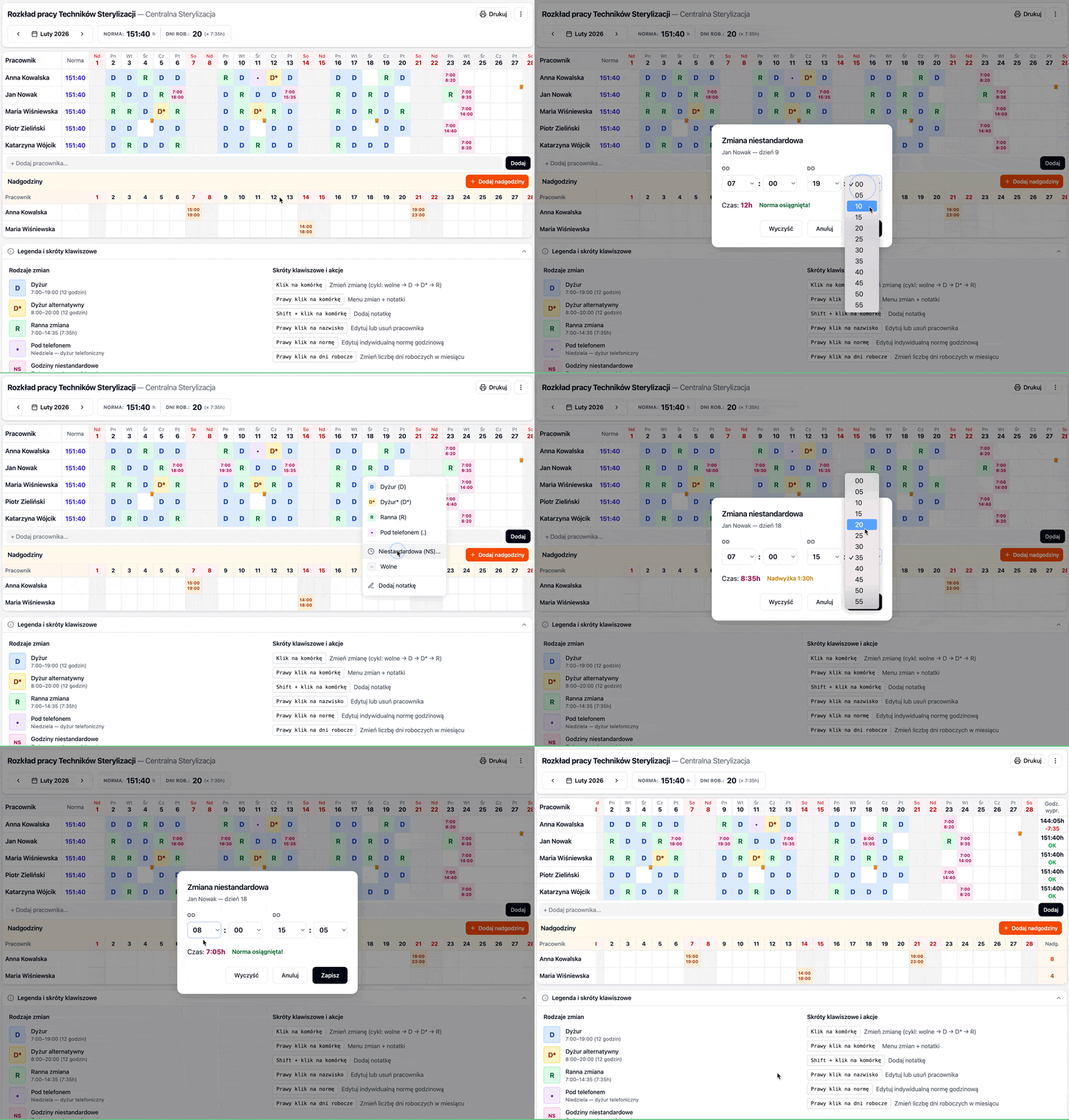
In addition to predefined shifts, you can set any time range via the context menu.
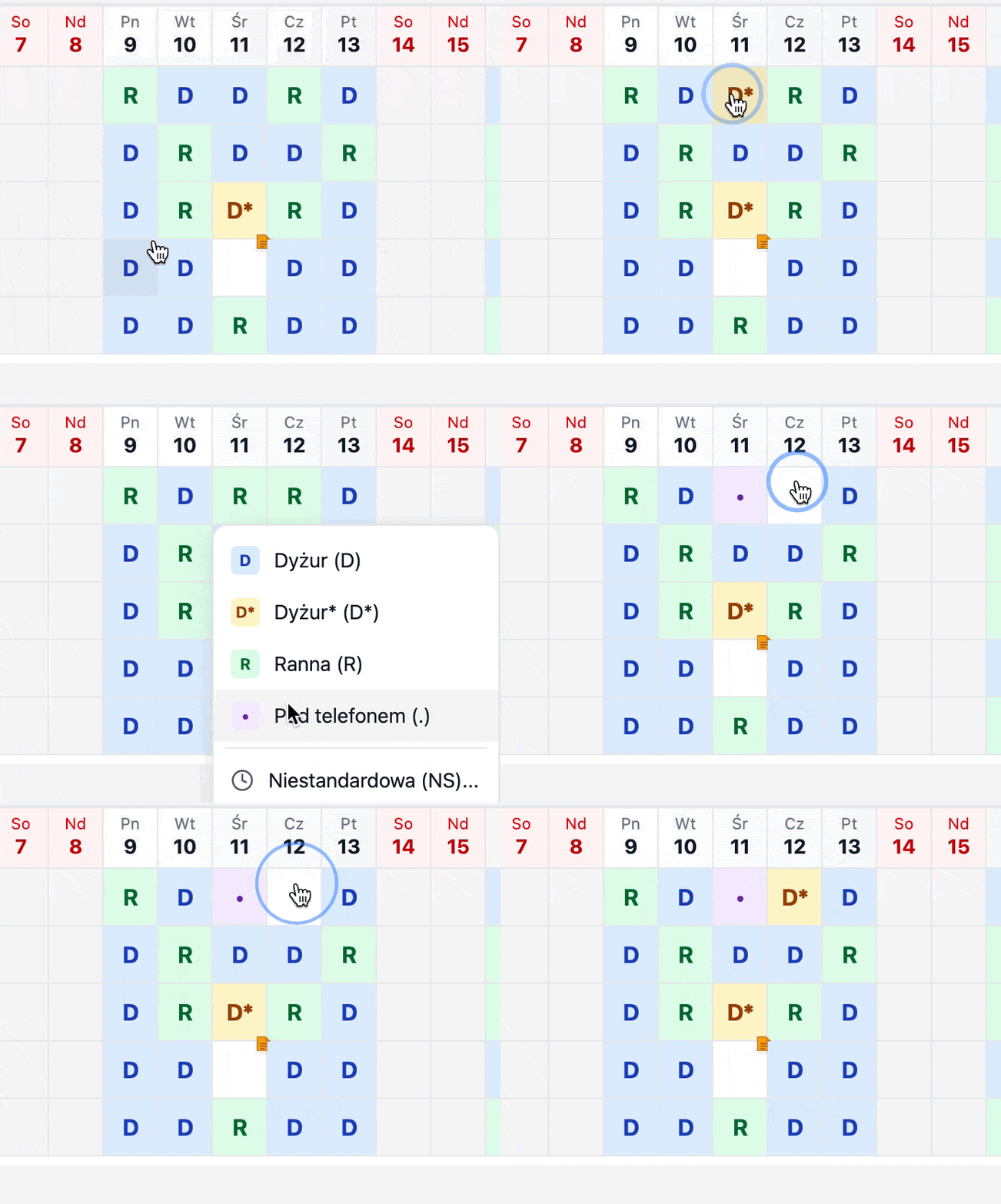
Shift Cycling
Click any cell to cycle through shift types:
empty → D → D* → R → empty
Context Menu
Right-click any cell to access the full options menu:
- Assign a specific shift
- Set a custom time range
- Add or edit a note
- Clear the cell
Edit Employee Name
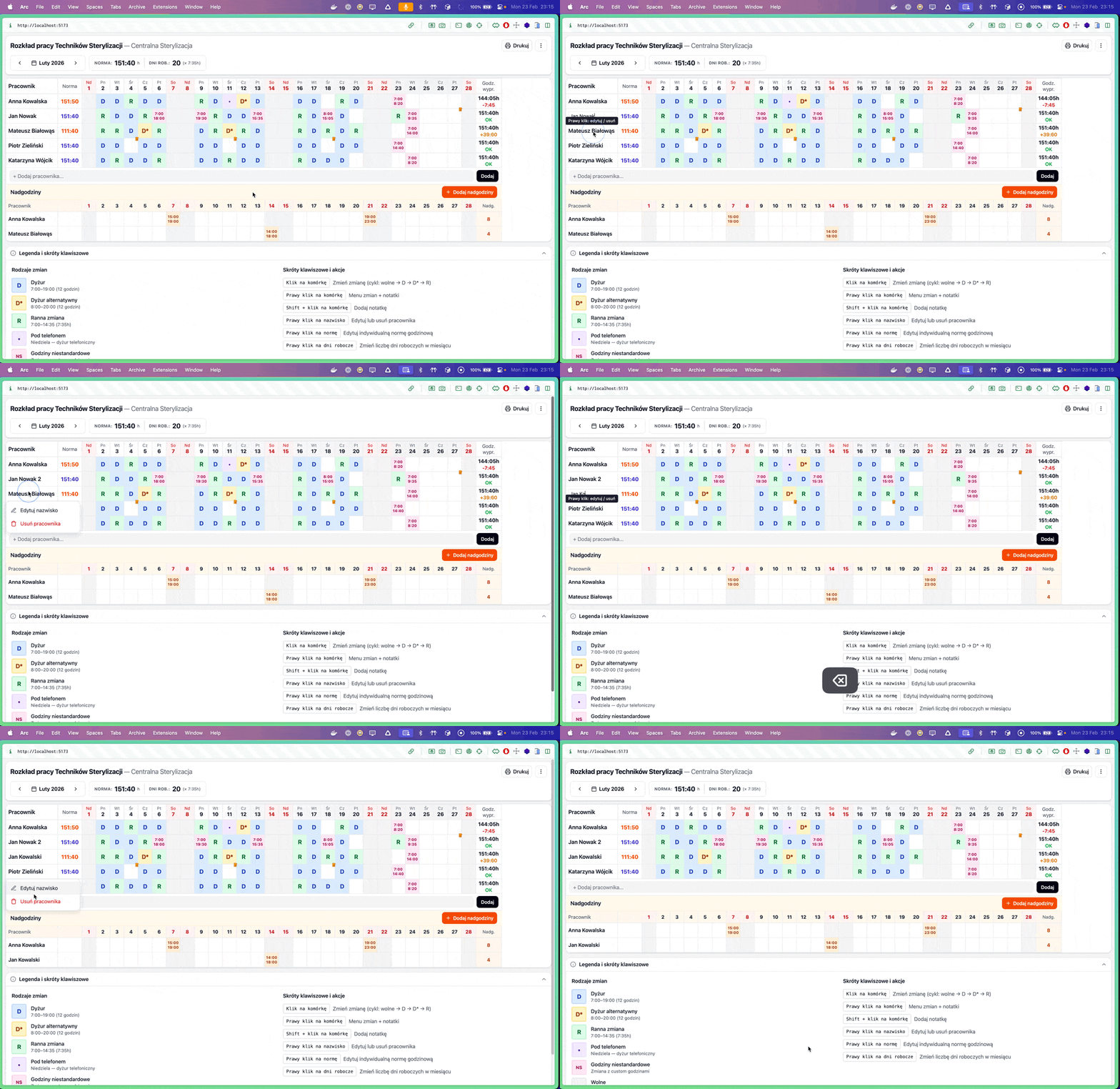
Right-click an employee name to rename or remove them:
Edit Norm
Right-click the norm cell to set a custom monthly hour target per employee:
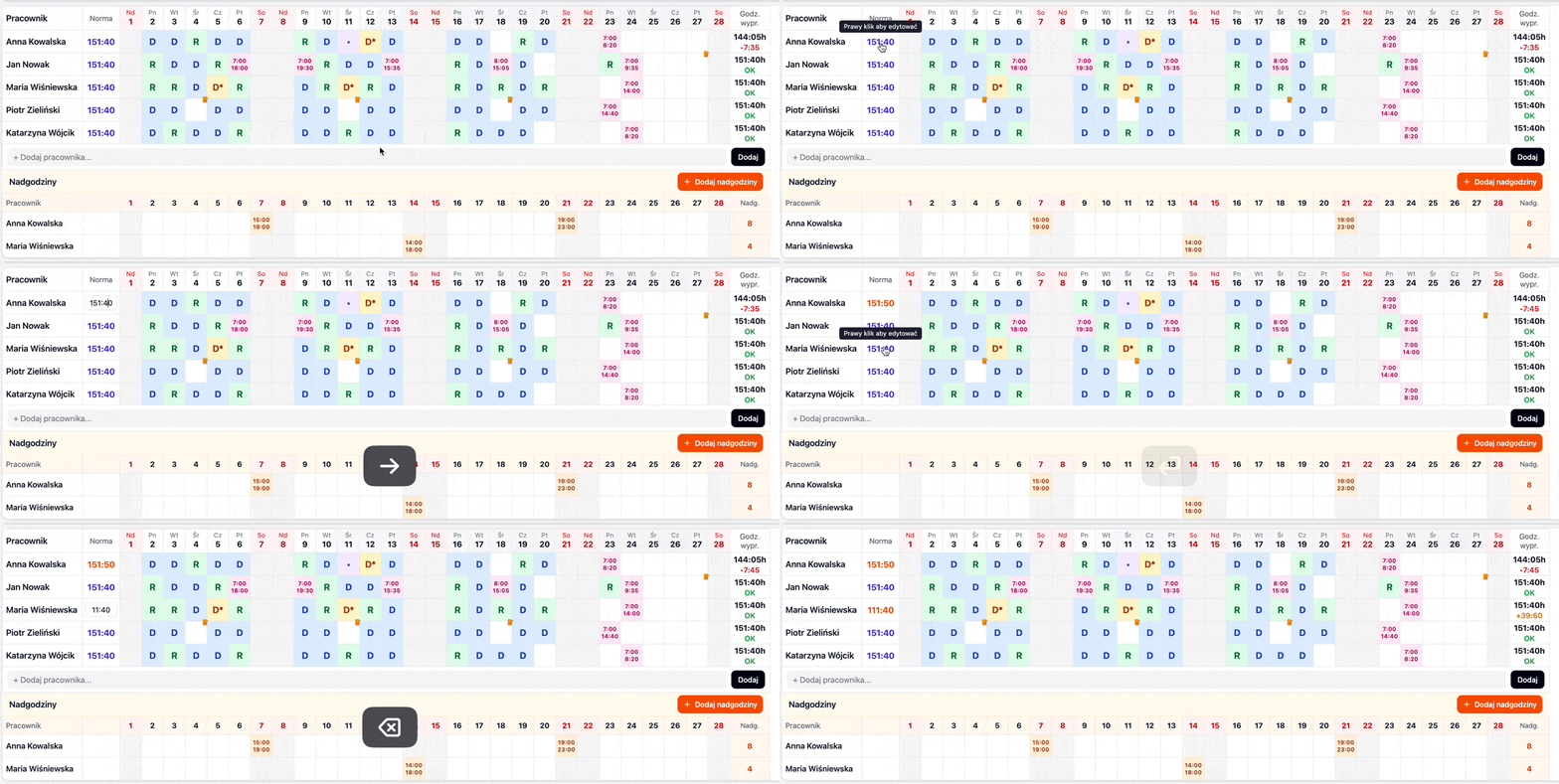
Default norm
The default norm is calculated automatically: working days × 7:35h. Overrides apply only to the selected employee and month.
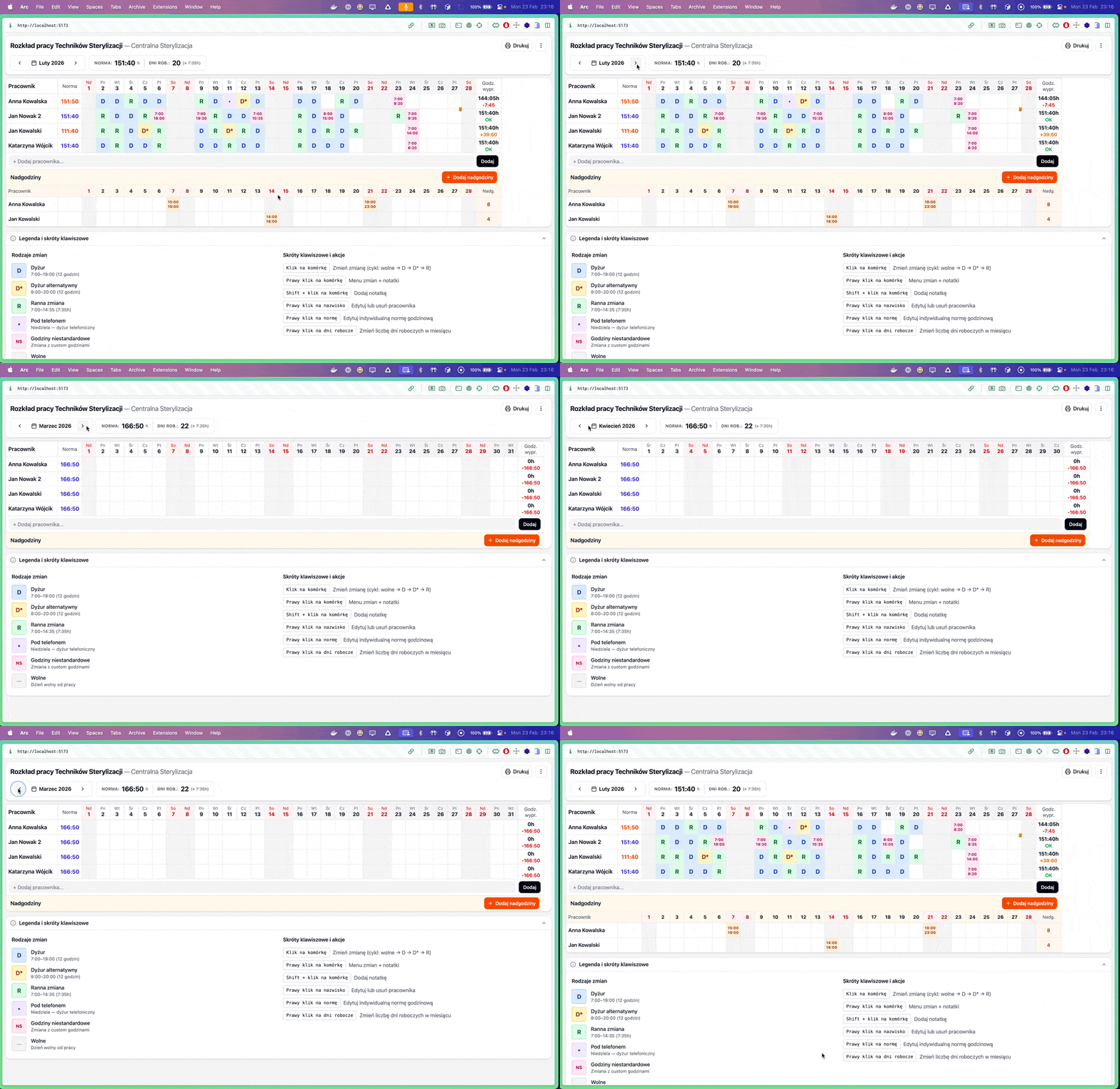
Month Navigation
Navigate between months using the arrow buttons. Each month's data is stored separately.
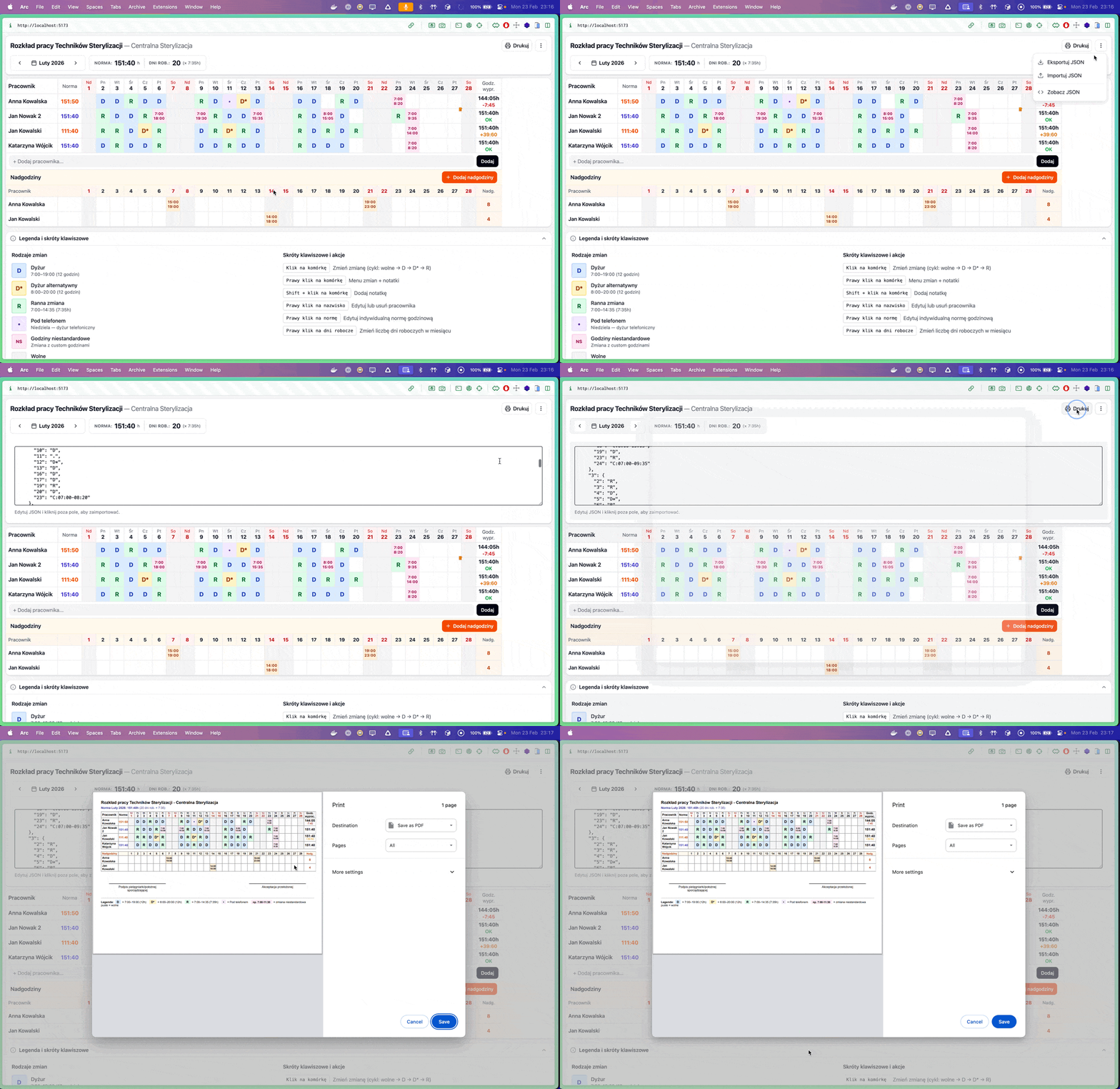
Export & Import
Export/import schedule data as JSON, or view the raw JSON for manual editing:
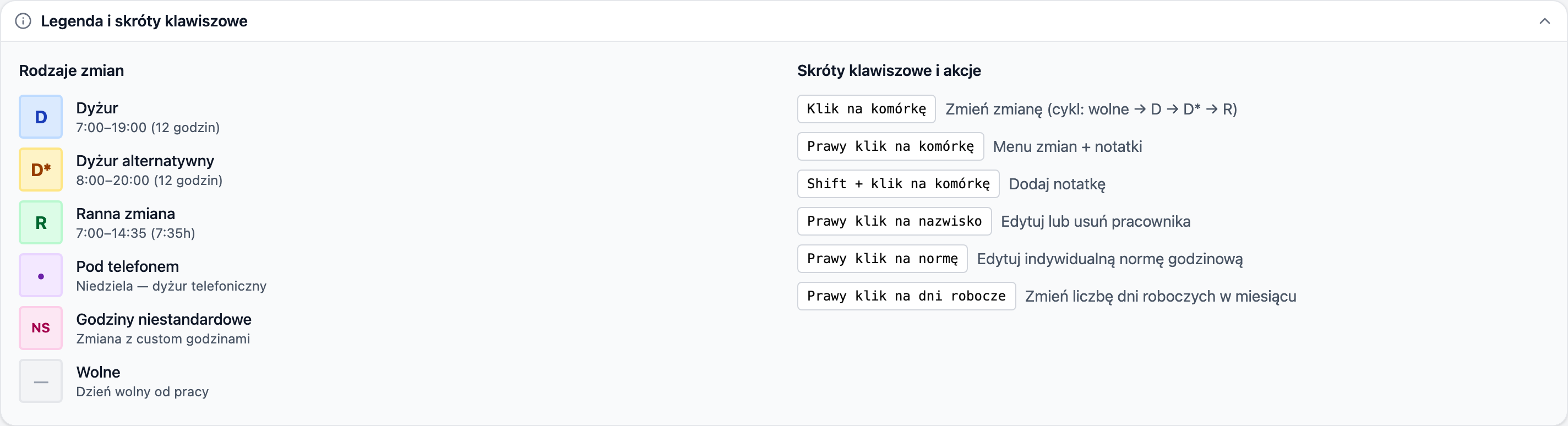
Legend & Keyboard Shortcuts
The shift legend and keyboard shortcuts are available at the bottom of the page:
Keyboard Shortcuts
| Shortcut | Action |
|---|---|
| Click on cell | Cycle shift (empty → D → D* → R) |
| Right-click on cell | Shift menu + rotation |
| Shift + click on cell | Add overtime |
| Right-click on name | Edit or remove employee |
| Right-click on norm | Edit individual norm |